Streamlining Pre-Sales Operations with a Centralized Web Hub
Spectrum's Community Solutions Department, a key player in residential broadband services, needed a greenfield solution to unify its pre-sales costing and design processes. The existing workflow relied on disparate spreadsheets and tools, leading to inefficiencies, manual errors, and high operational costs. Our team was tasked with building a centralized web hub that integrated various platforms, reducing manual work and saving Spectrum time and resources.
COmpany:
Spectrum (Charter Communications)
Industry:
Telecom & Mass Media
Project name
Operations Systems Integrations (OSI)
Timeframe
NOV 2022 - APR 2023
Scope of work:
Stack:


Results
Driving Operational Efficiency and Cost Savings
The redesigned web hub at Spectrum led to measurable improvements across training, operations, and employee productivity. With streamlined workflows and an intuitive interface, teams were able to reduce manual tasks, save time, and lower costs across multiple departments.
Problem
Disconnected Teams and Tools
Community Solutions’ pre-sales costing and design phases currently rely on a patchwork of disparate spreadsheets and tools. This fragmented approach necessitates manual data entry, complex logic maintenance, and adherence to business rules across multiple sources of truth. Additionally, minor updates require manual adjustments to various sheets. Unfortunately, these spreadsheets lack security and are not conducive to reporting. Moreover, the disjointed platforms lead to significant downtime as Salespeople wait for Engineers’ reviews and vice versa. Furthermore, stakeholders hold underutilized Salesforce subscriptions, resulting in wasteful spending.
Solution
Building Bridges and Integrating Systems
Our proposed solution involves creating a centralized web experience hub for Community Solutions’ pre-sales costing and design processes. We’ll focus on pre-sales costing for the minimum viable product (MVP). Key features include:
Single Source of Truth Administration
Maintain video and data product information, prices, and product bundles from a central admin interface.
Efficiency Boost
Streamline processes by reducing repetitive work and integrate with existing systems such as JIRA, Salesforce, Scope, and Prism.
Transparency
Provide granular reporting and analytics data.
Modern Framework
Develop the web application using best practices and adhere to Kite Design System accessibility standards.
My Role and the Team
Me and the SME Leading Design
As a New UX Designer at Spectrum, I played a pivotal role in this project. I was entrusted with driving the project and taking ownership of the design. Collaborating closely with me was the Subject Matter Expert (SME) from Community Solutions, who brought extensive experience as a Manager of Strategic Operations, and former manager of the Sales Reps. and Engineers who are the end-users for this application. I also collaborated with User Researchers to plan and conduct focus groups and moderated usability testing. Our team was comprised of a Scrum Master, Software Engineers, a QA Analyst, and myself. After our initial design was completed, we lost our Scrum Master for a period of two weeks, during which I stepped in to fullfill some of these responsibilities. I communicated with engineers, wrote engineering tasks, and led team meetings.
Project summary
Solving the Problem in Phases
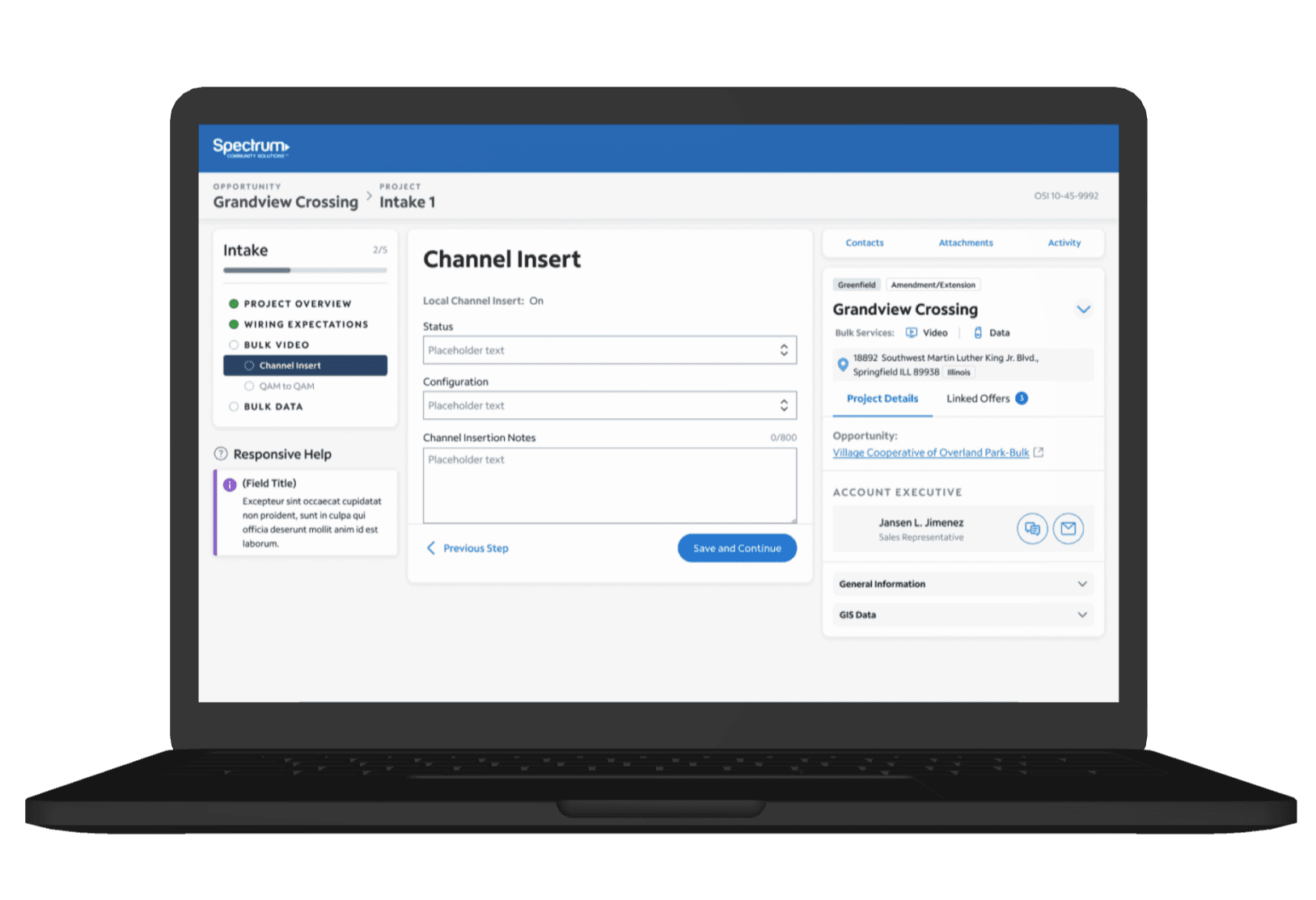
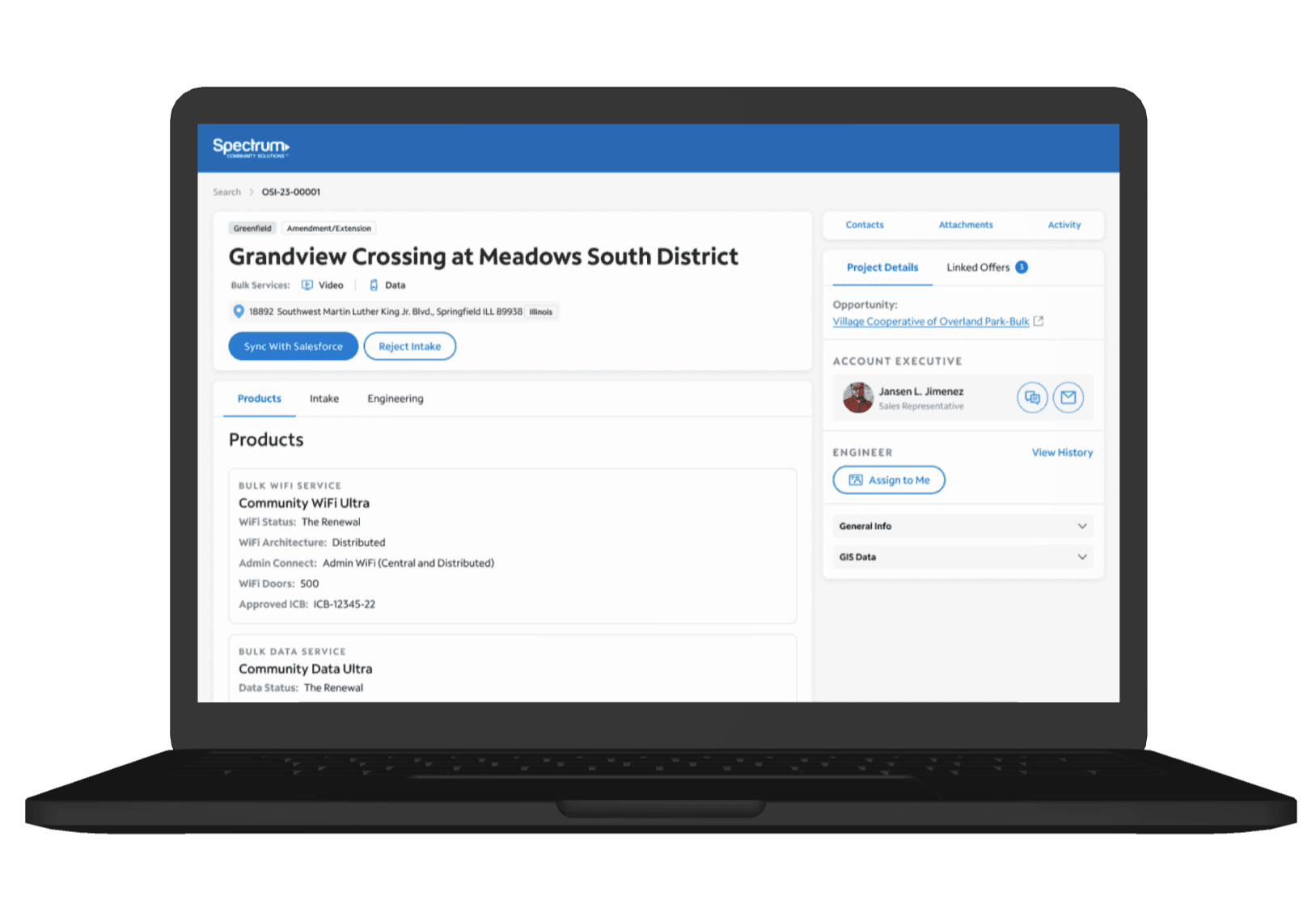
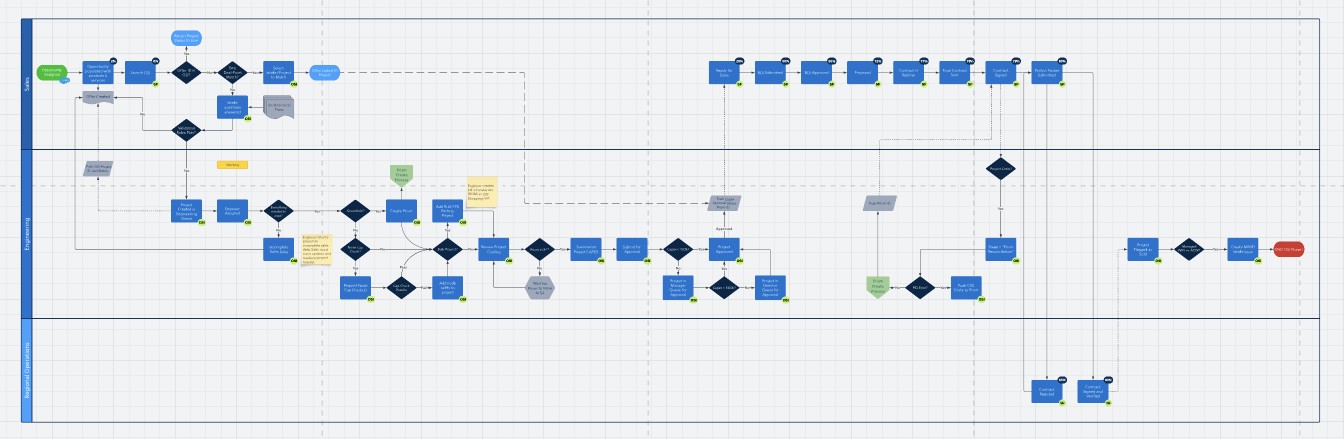
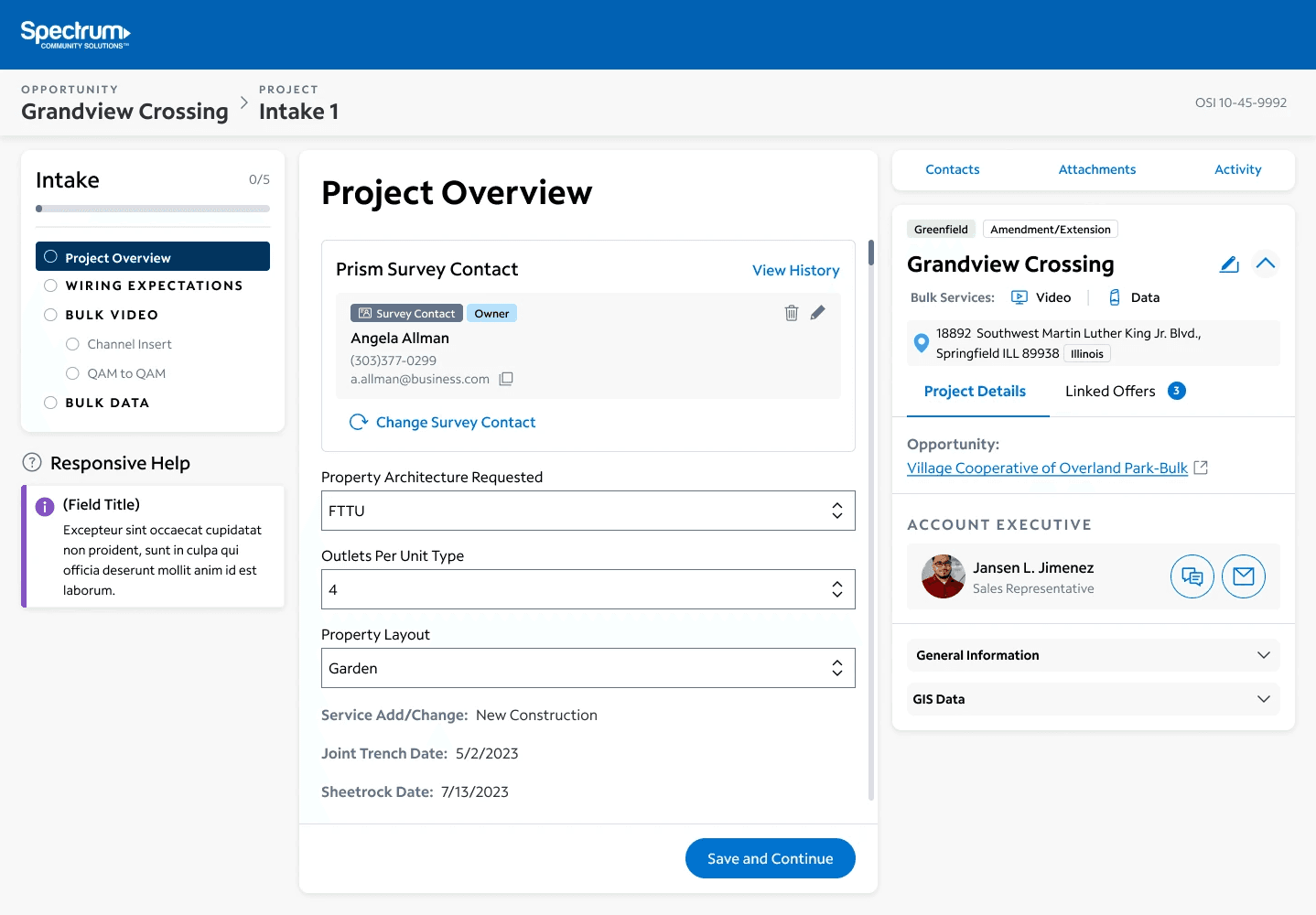
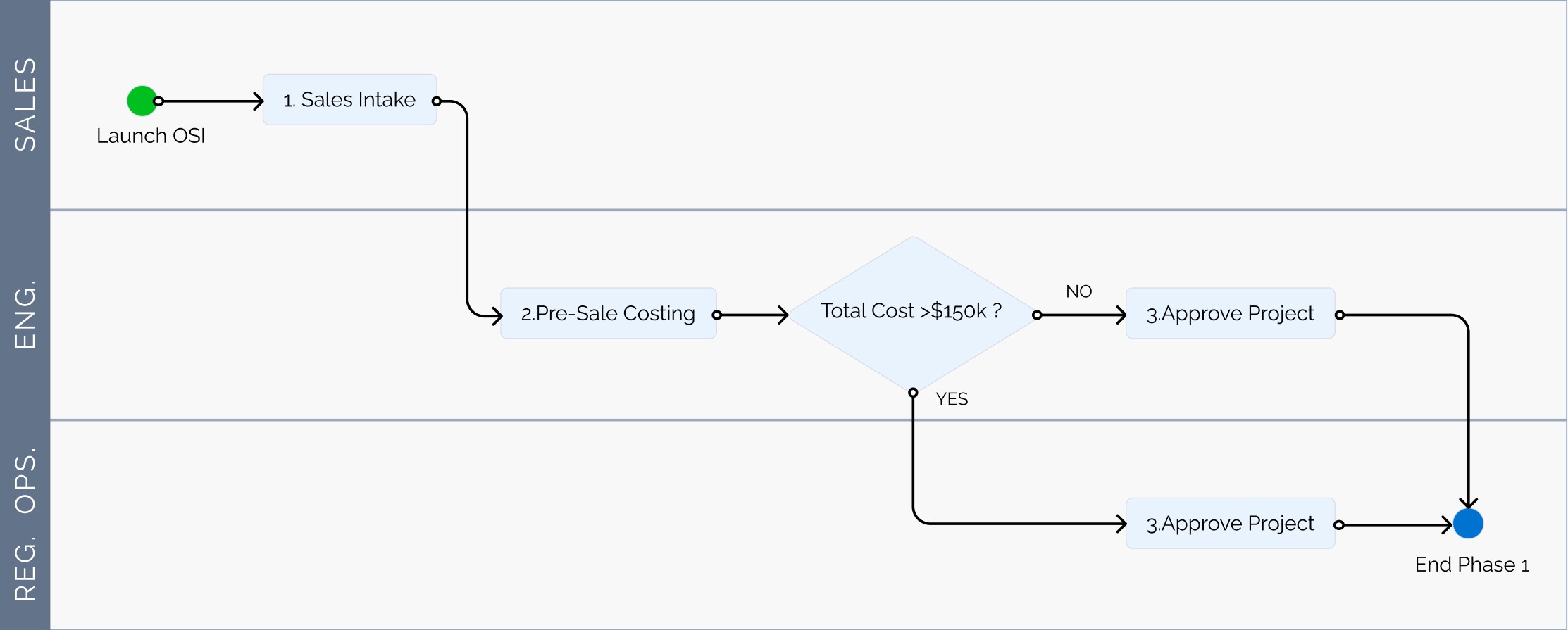
In Phase 0.4, we developed a one-page app to simplify the process of submitting sales opportunities to the system. Previously, salespeople manually input information into Salesforce, causing significant time wastage. Our solution reduced the average time required for this task from 15-20 minutes to just 10 seconds. In Phase 1, we created a web application for submitting opportunity details via an Intake form. These entries enter a queue, where managers assign projects to engineers. The engineer then reviews the submission and adds relevant hardware information. After the engineering process is complete, most projects are auto-approved by the system, while some high-dollar projects require manual approval from leadership.

Goals
Efficiency and Cost Reduction
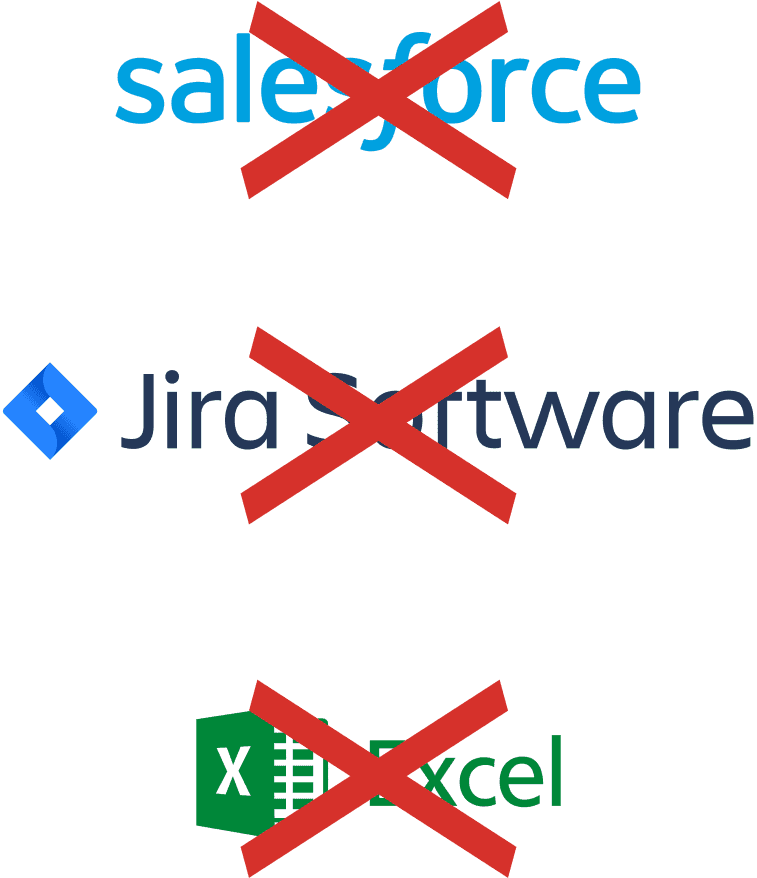
The team workflow is highly dependent on outside software like Salesforce, Jira, and Excel, which is both costly and inefficient. Our proposed Operations Systems Integration aims to streamline workflows, reduce reliance on external software, and enhance efficiency and profitability.
Phase .4
Beginning with a Bite-Sized Solution
The initial phase for OSI is deemed “Phase .4” because it does not offer a complete web app but rather starts the project by offering a solution to a small, isolated problem. In the current workflow, users must spend about 20 minutes copying and pasting information from Salesforce to Jira to transfer data for new tasks.


User Personas
A diverse group of stakeholders
As an internal project, the users are all Spectrum stakeholders who work for the Community Solutions department. Any of these users could complete the main action afforded by Phase .4 of OSI. • Field Technicians • Sales Engineers • Software Engineers • Project Managers
Device Considerations
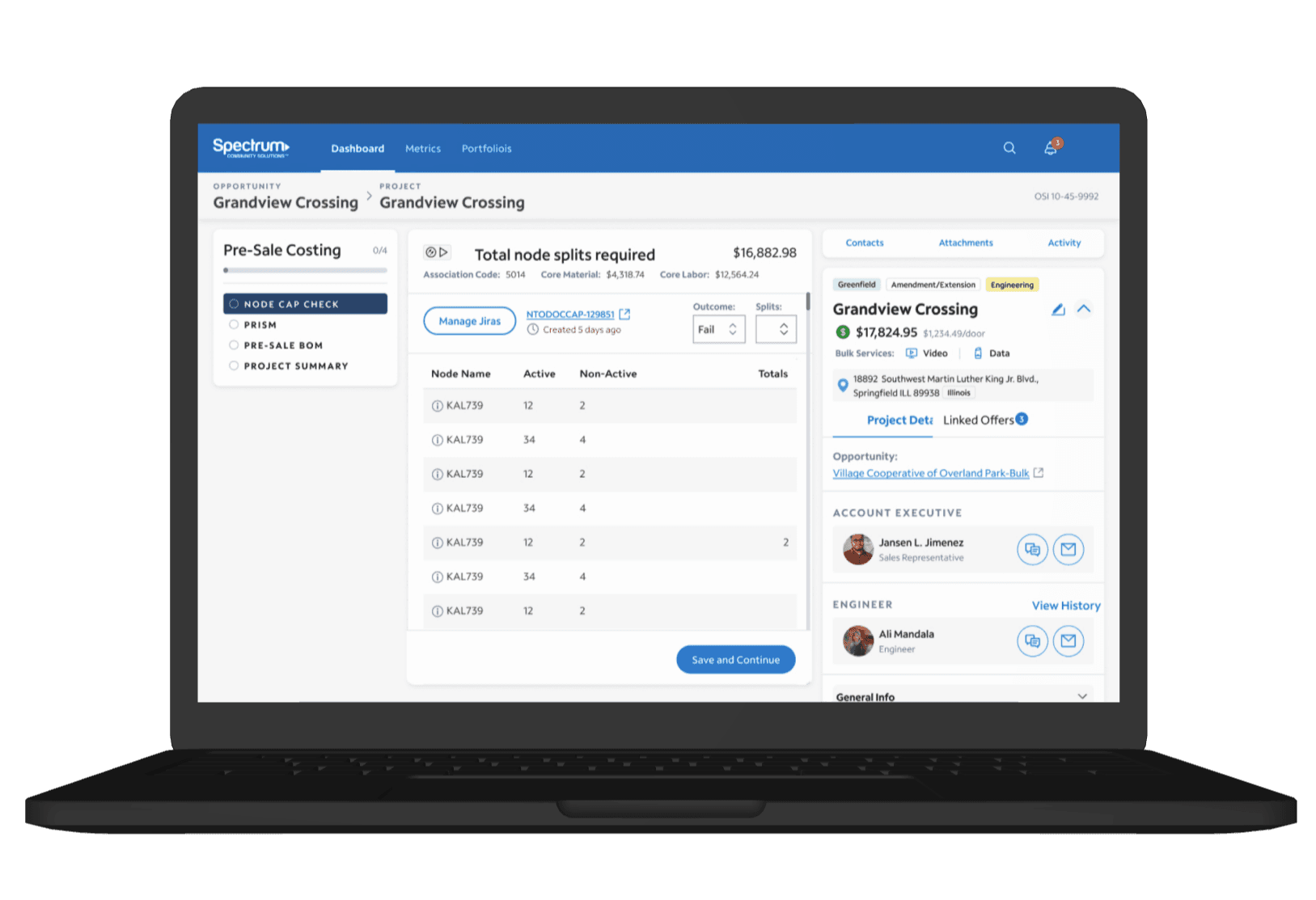
Focusing on the Laptop
Spectrum stakeholders will access this product during business hours using their work laptops. Consequently, our design focuses on laptop and desktop screens rather than mobile devices.


Initial Rollout
Swift Deployment and Positive Feedback
After collaborating closely with the Front-End Engineer to ensure UI quality, usability, and aesthetics, Phase 0.4 of OSI was rolled out to a select group of users. Initial feedback was overwhelmingly positive: • An executive marveled at the efficiency: “it’s just amazing that they can do now in only 10 seconds, what before may have been a 20-30 minute lift.” • Users appreciated the visually appealing and responsive nature of the web app.


Kickoff
Say Hello to the SME
Our Subject Matter Expert (SME), a seasoned Manager of Strategic Operations at Spectrum, flew in from out of state. With firsthand experience managing Community Solutions teams, the SME provided valuable insights into personas, use cases, pain points, and business goals.
Discovery
Unveiling Complex Inner Workings
Before this discovery phase, our team had limited knowledge of the intricate workings within the Community Solutions department. Over four days of intensive meetings, I led the discovery process, gaining a deeper understanding of OSI personas and use cases.

Personas
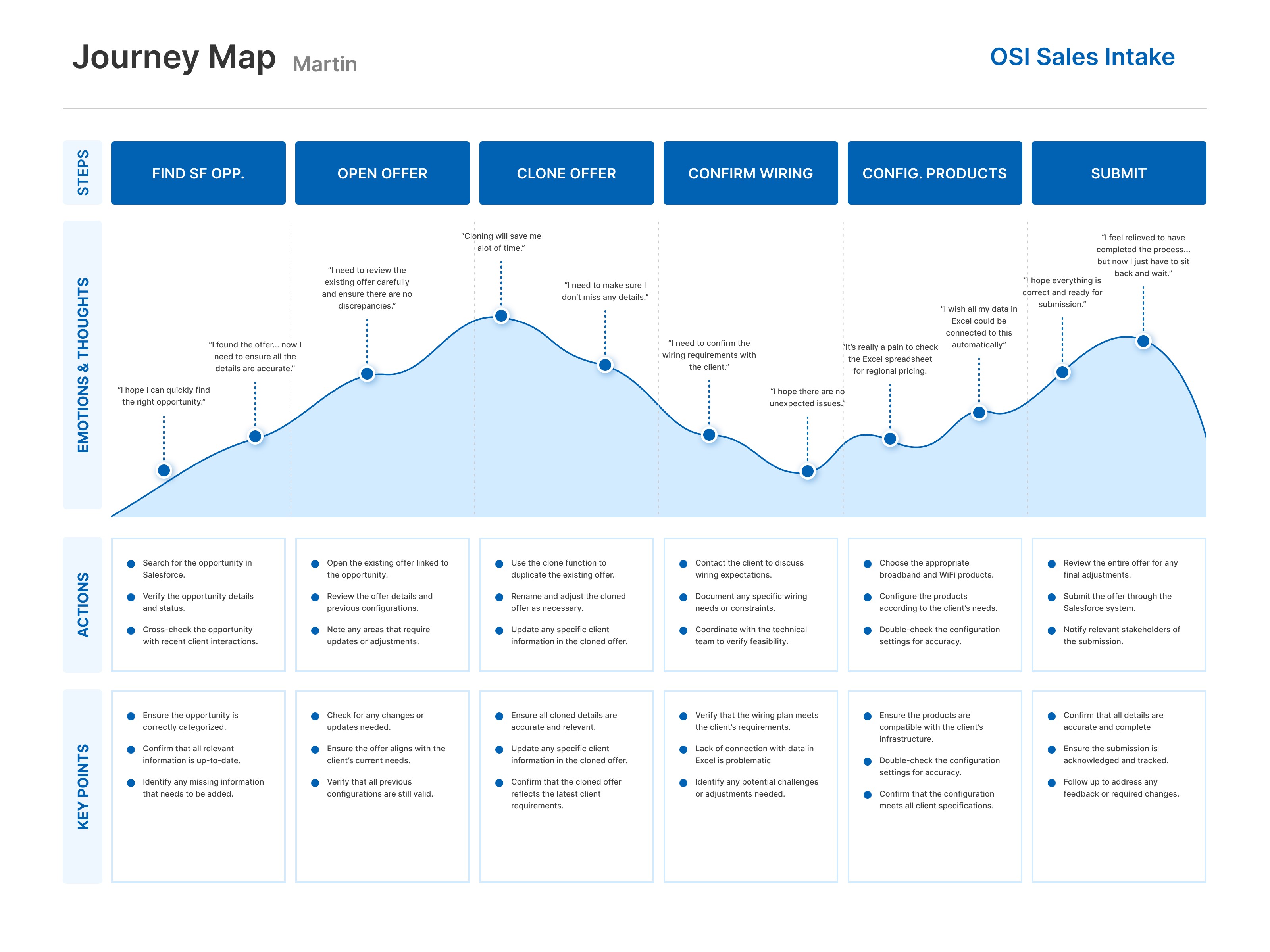
Breaking down the Users and Use Cases
Sales Representative
• Responsible for completing property “intake” forms • Initiates the project workflow
Sales Engineer
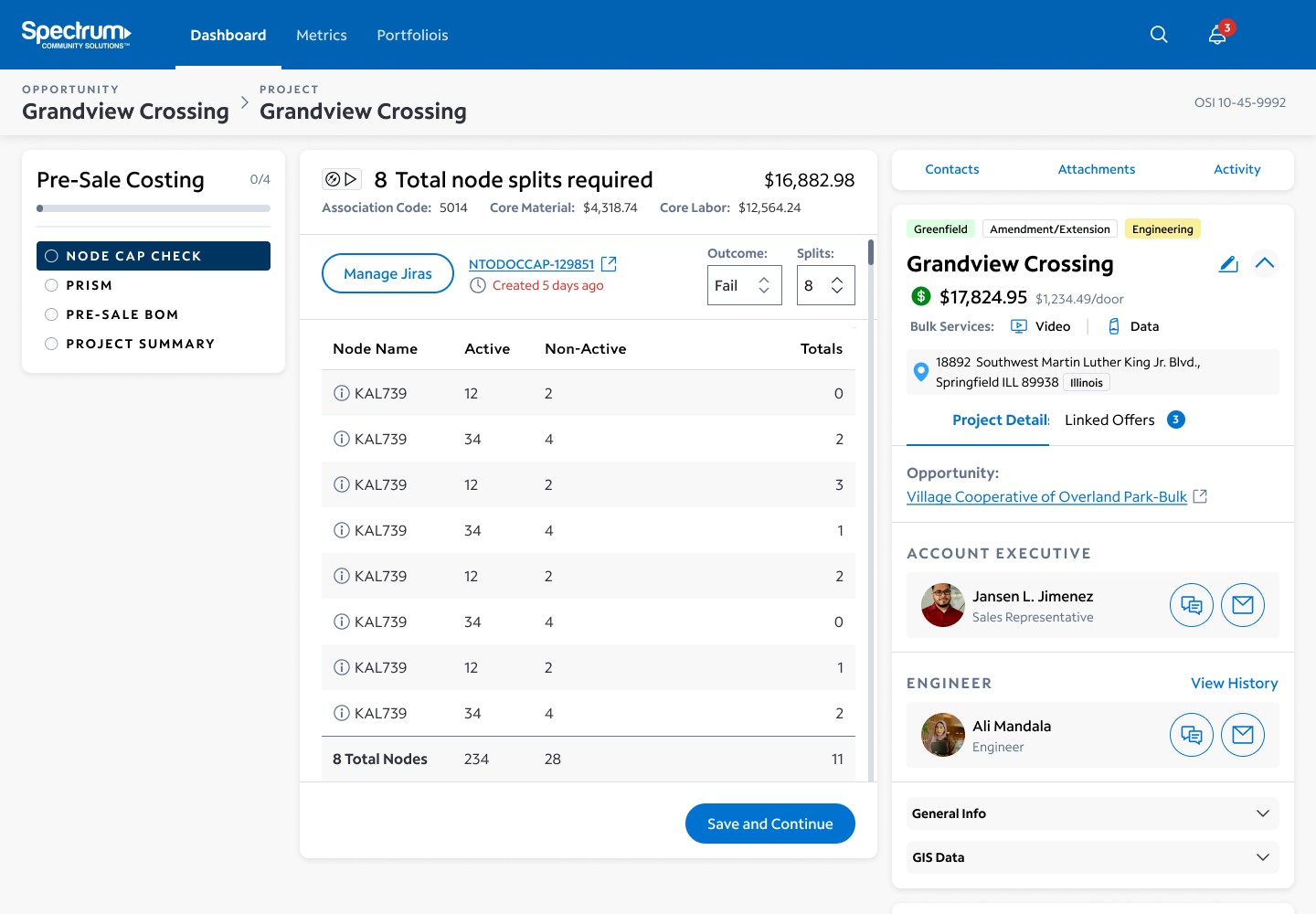
• After the Sales Rep’s intake, the Sales Engineer handles Product Costing
Manager
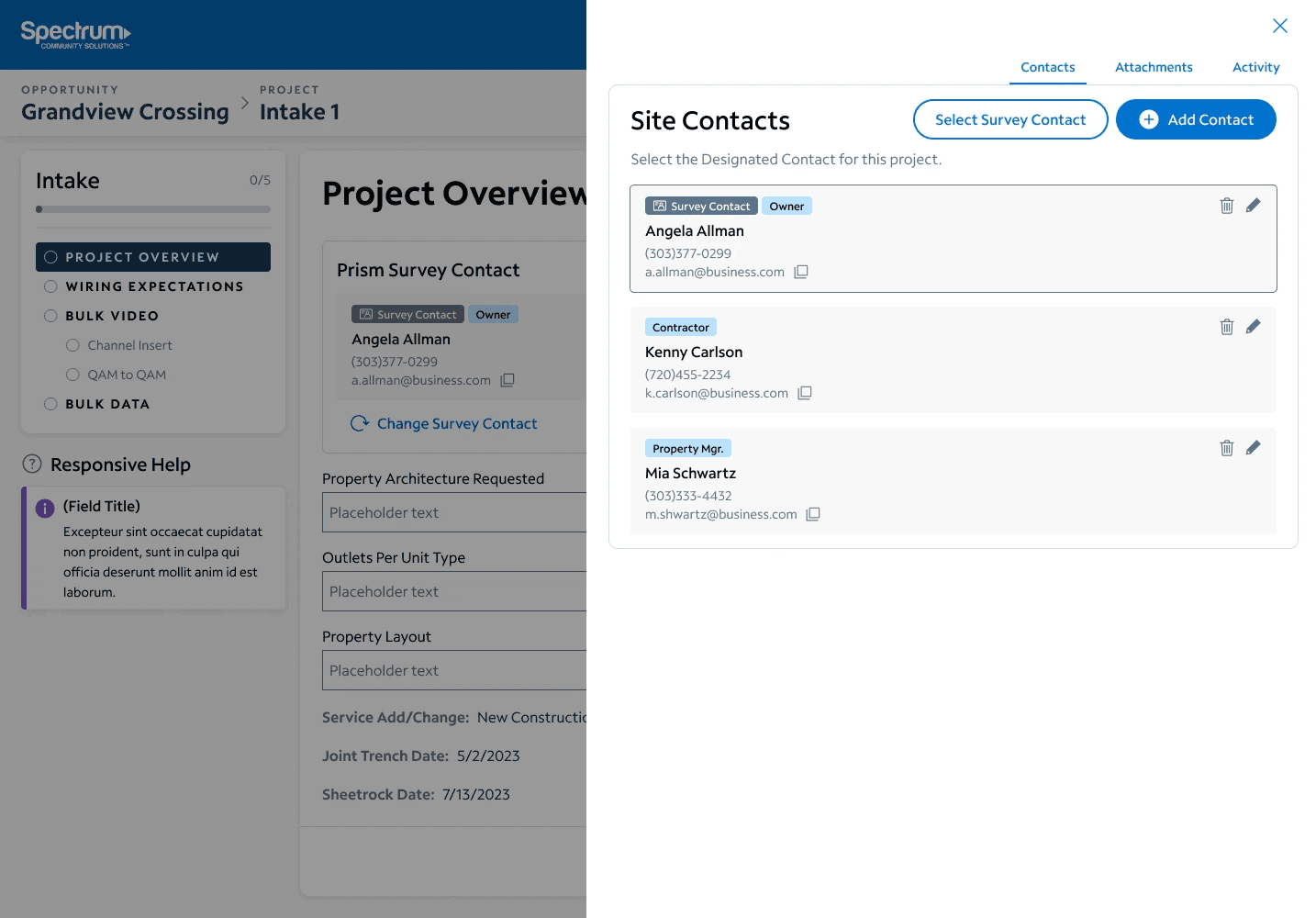
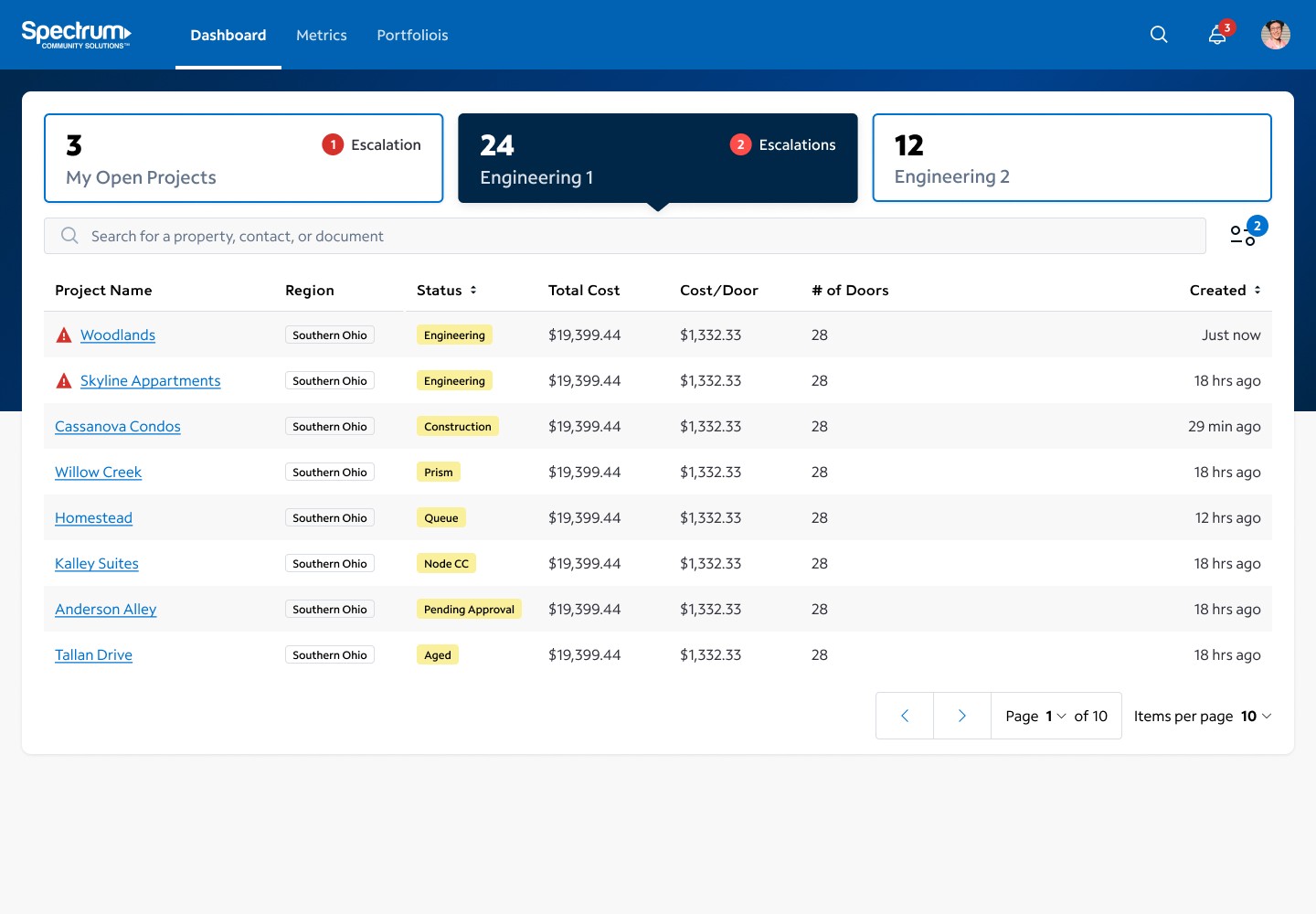
• Monitors employee activity and project queues • Assigns projects as needed
Director
• Reviews project queues and team activity • Approves high-dollar projects


Key Persona
The Salesperson
High turn-over rate
• Sales Reps have short tenures. • Our product must be intuitive to minimize training needs.
Low approval rate
• After the Sales Rep’s intake, the Sales Engineer handles Product Costing
Overly ambitious
• Sales Reps sometimes inflate offers to boost their metrics. • OSI must enforce restrictions and checkpoints.


Key Consideration
Project Shot Clock: Tracking Milestones
As projects progress, input is required from various teams. Key milestones trigger the “shot clock”: • When the Sales Rep completes an Intake, the project enters the Engineering Queue. • After Engineers finish Product Costing, they wait for approval. The clock restarts at each stage, ensuring transparency and team accountability.

Data Model
Understanding the information
Portfolio
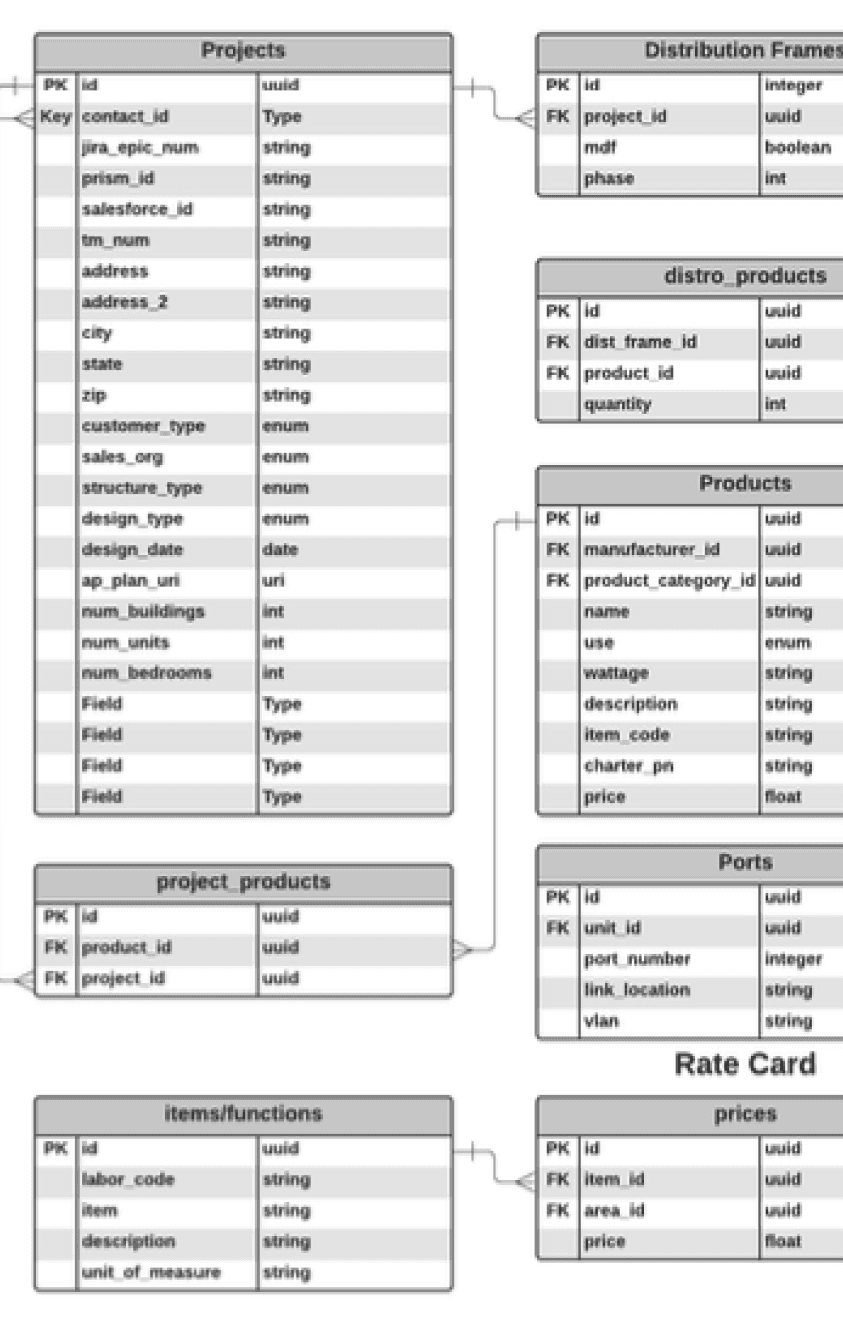
• A collection of properties owned by an individual or entity
Property
• A real estate property, which is often part of a portfolio
Project
• Represents an opportunity to provide services/products for a single property
Offer
• A scripted collection of services and products at a specific price • A single Project may contain multiple offers
Stakeholder Collaboration
Bringing the SME’s Vision to Life
Having immersed ourselves in the product space, user personas, business requirements, and goals, we swiftly transitioned to rapid wireframing and prototyping. Our primary focus? Accommodating our subject matter expert (SME) and translating their vision into tangible design elements.


Stakeholder Collaboration
Alignment with Engineering for the MVP
As we breathed life into the SME’s vision, close collaboration with our Engineering Manager and team ensured technical feasibility. When faced with scope creep or unnecessary features, we exercised discernment, carefully selecting what to include and what to discard.

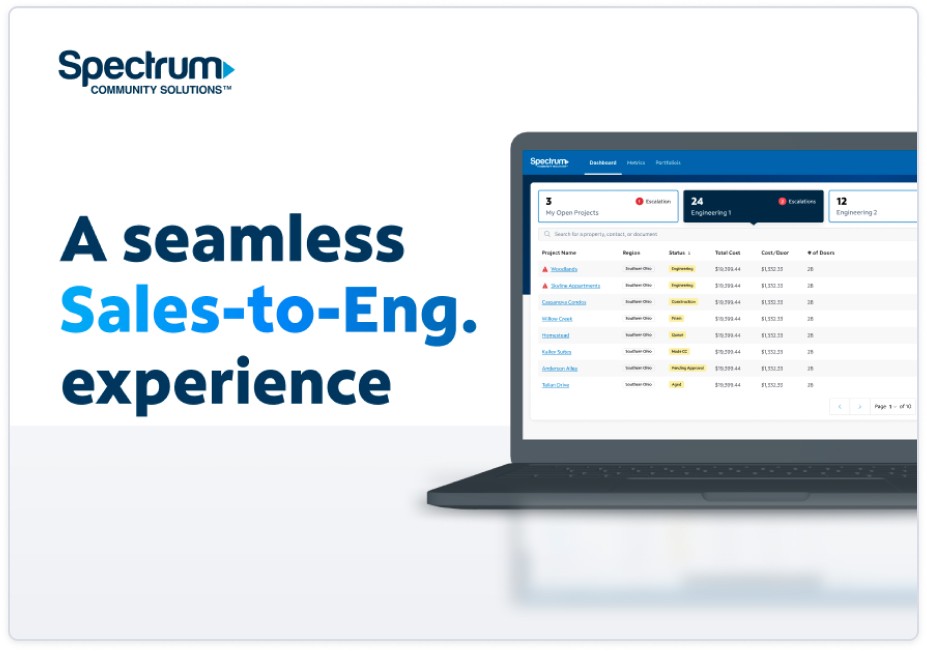

Presentation
Earning "Buy-in" from Executives
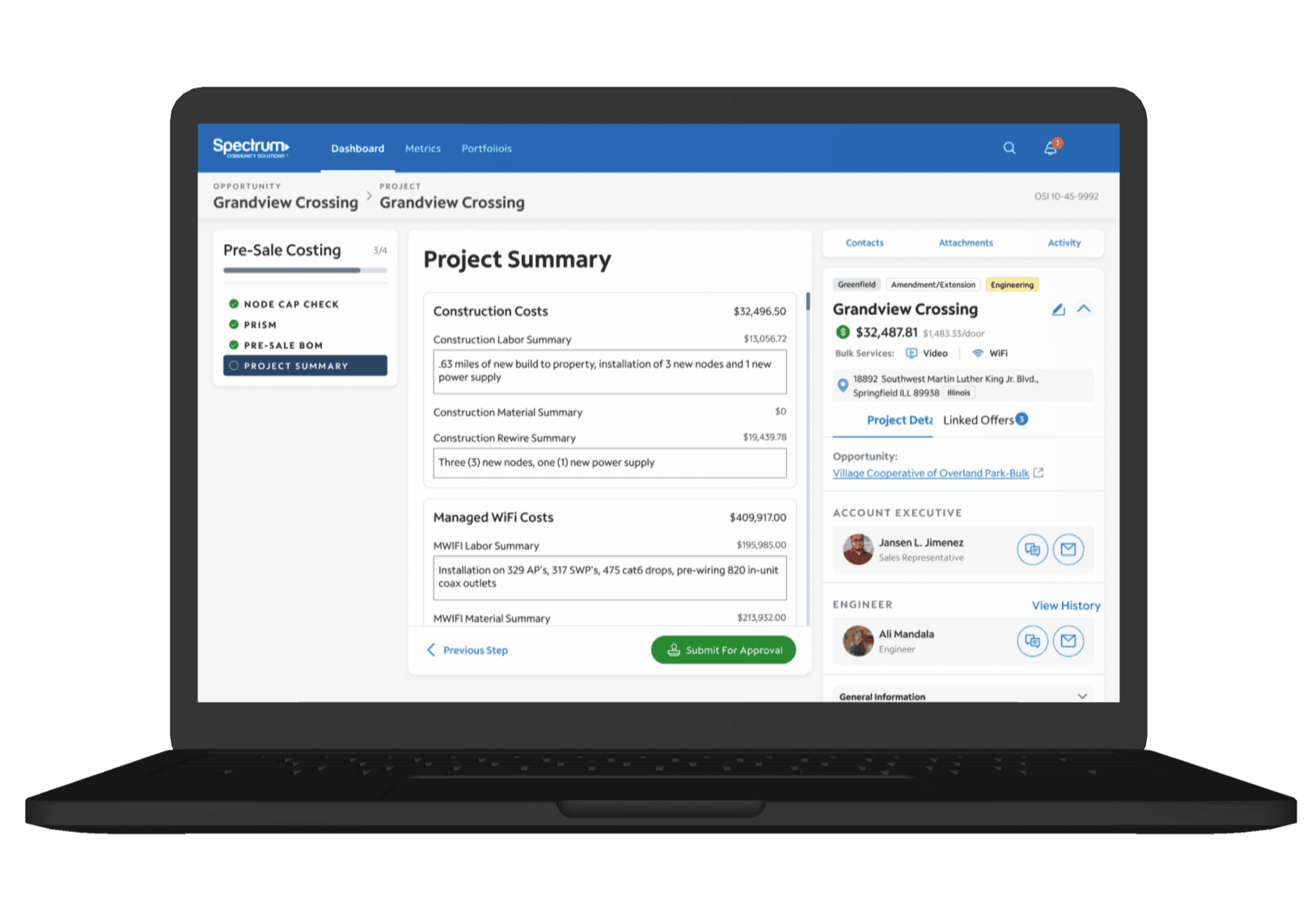
Before diving into development, we presented our concept to executives for approval and funding. Our Figma slideshow/prototype showcased three critical tasks: • Submit a Sales Intake (User: Sales Rep.) • Pre-Sale Costing (User: Engineer) • Escalate a Project (User: Sales Director) The positive reception prompted us to swiftly move forward with development.
Project Management
Leading Agile Processes in the Absence of a Scrum Master
After successfully completing the design work for our MVP, our team faced an unexpected challenge when our Scrum Master was reassigned to a different team, leaving us without a project manager. As the most knowledgeable team member on this project, aside from the Product Owner/SME, I stepped up to fill the gap. Having led the discovery phases, conducted generative research, and crafted the UI design, I was well-prepared to take on this responsibility. For approximately three weeks, I assumed the Scrum Master’s role, effectively communicating with developers, writing user stories, breaking down tasks, and managing tickets.


Testing
Collaborating with User Researchers
Given the OSI project’s significance, we enlisted the help of a UX Research Director and two UX Researchers. Their planned exercises included:
Salesforce Walkthrough
• Meeting with one user from each persona to understand their existing processes (now being replaced by OSI).
Focus Groups
• Small-group discussions guided by facilitators to gather user thoughts and opinions on specific topics or interfaces.
Moderated Usability Testing
• One-on-one sessions with participants, evaluating user behaviors and prototypes for system improvements.
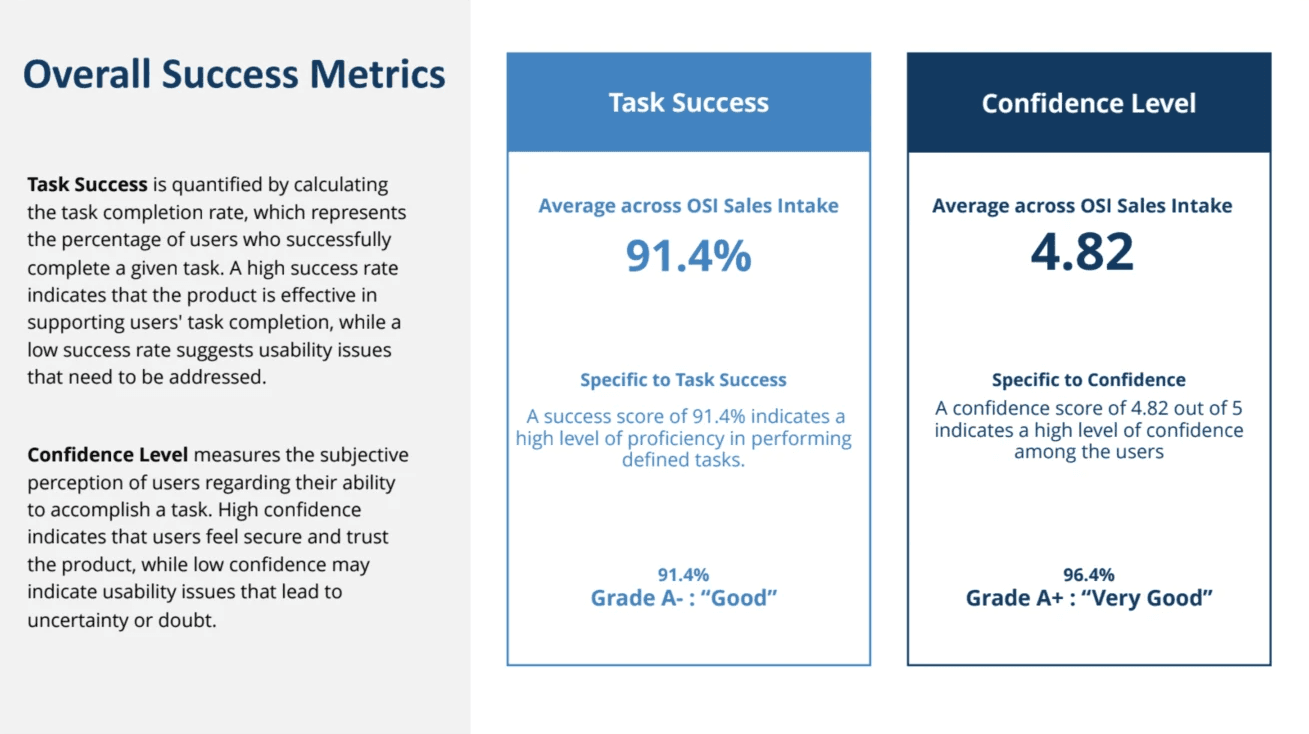
Usability Testing Results
Detailed Readout
Our Research team provided a live readout of their results document. We scored high in both task success and confidence levels.


Iteration
Fine-Tuning Based on User Research
Testing validated our design’s success, allowing users to complete tasks with minimal confusion. We made adjustments, primarily refining terminology, to enhance the overall experience.

Design Slideshow
Sales Landing Page
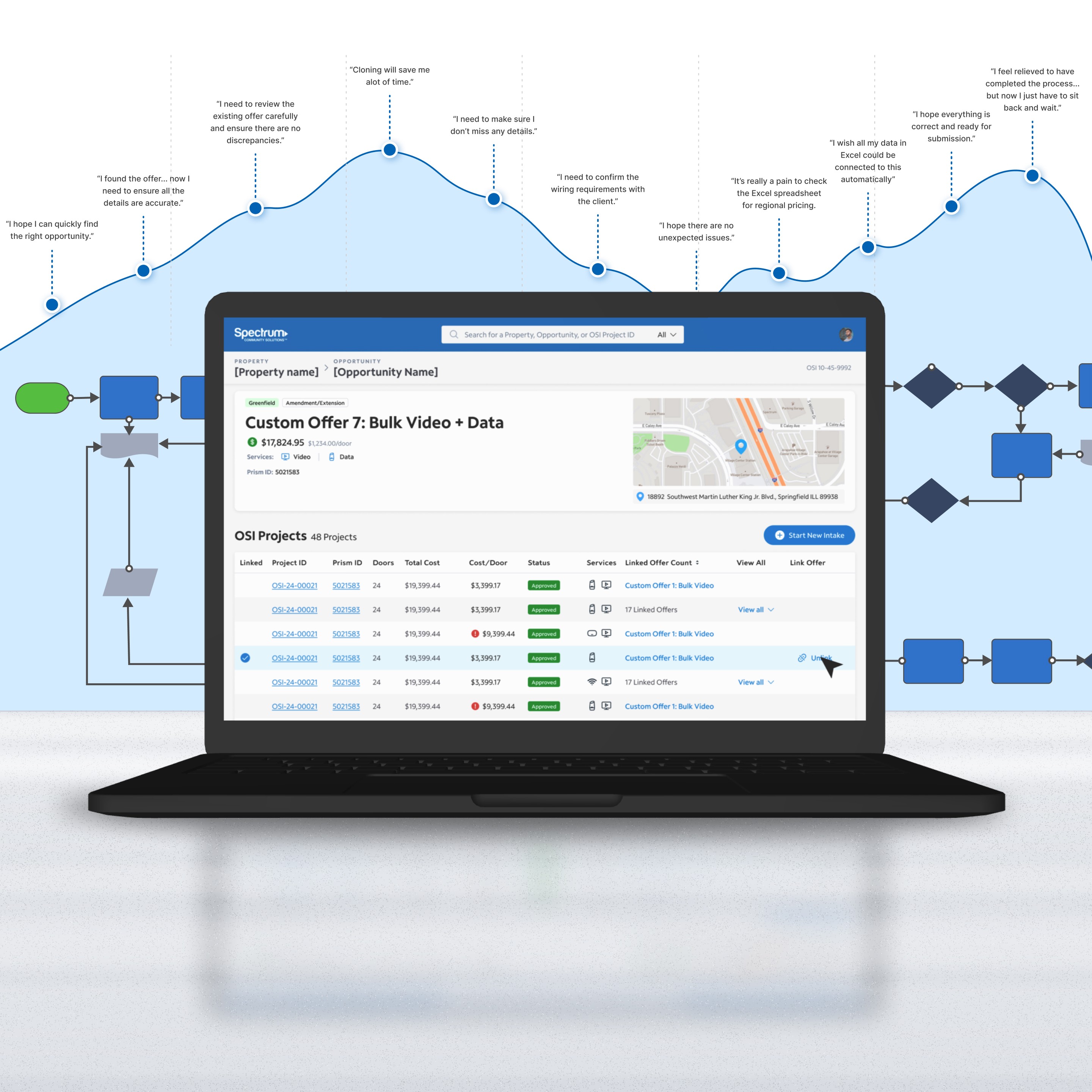
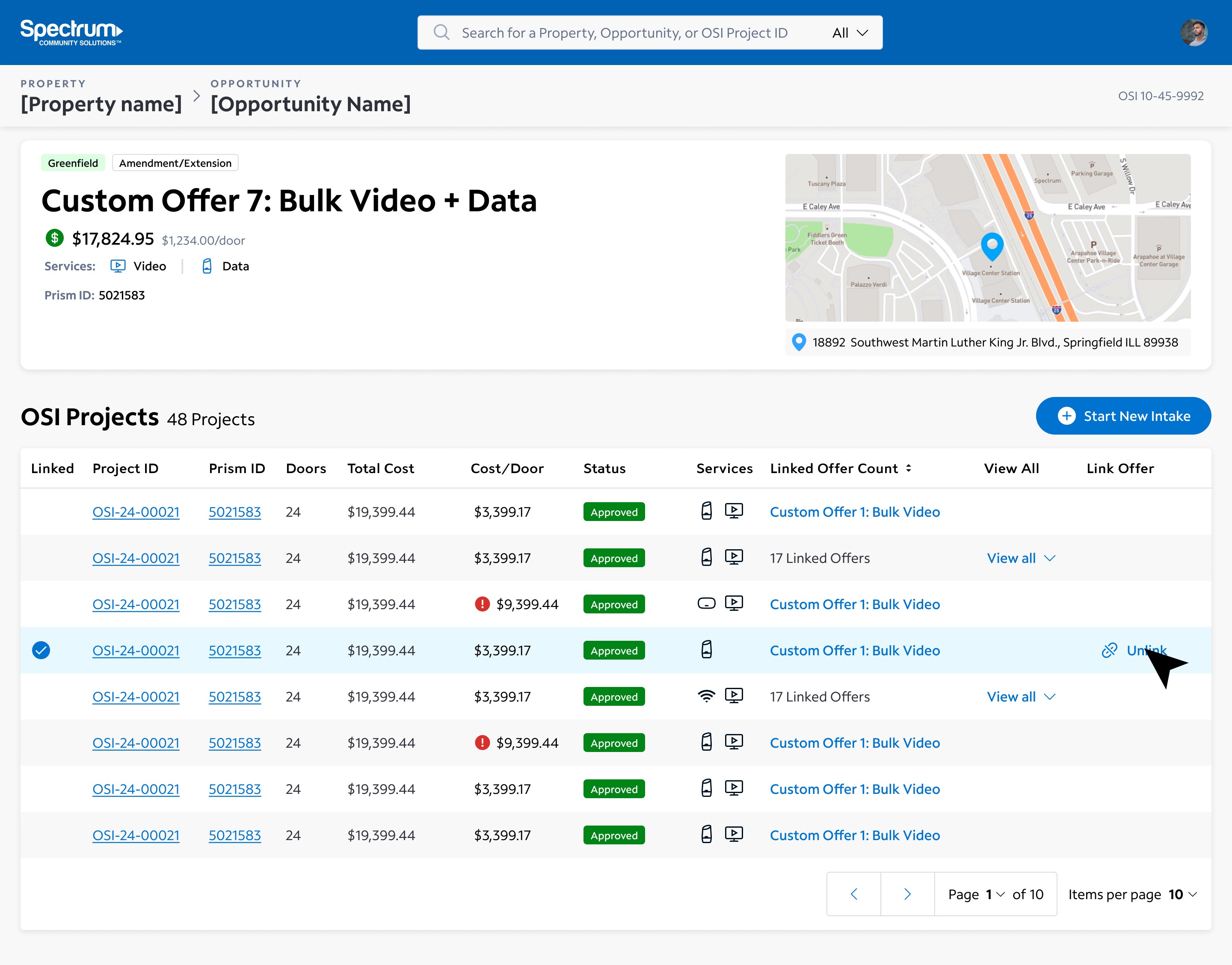
Prior to building this page, a Sales rep would land directly on an intake form when navigation from Salesforce to OSI. This new page allows users to see an overview of the offer,, link it to an existing Project, and start a new Intake.

Open a Support Ticket
This form allows the user to request help from the department's Support Team. Users input details about the issue, add screenshots, and submit a ticket.

Request Dashboard
Support team members use a dashboard with a similar layout to the OSI Engineering dashboard. They see an overview of open and closed tickets, search, and filter issues.

Issue Overview
When viewing a support ticket, the user is given a plethora of information, and can take a variety of actions: • Update ticket info • Post a comment • Assign a team member